You click Submit — every time
UPXL never auto-submits proposals, never auto-bids, and never acts on Upwork faster than you would. It surfaces jobs, scores clients, and drafts copy — the send action is always yours.
The Upwork OS for freelancers who refuse to risk their account on auto-bidders. UPXL vets every client, drafts proposals in your voice, and tracks every deal — you review every bid and click Submit yourself.
6 months free for the first 500 waitlist members · No spam, ever
// Upwork platform averages, 2026. UPXL exists because the odds are rigged against freelancers without a system.
The system
Six modules that feed each other data — every contract you win makes UPXL smarter about what wins for you on Upwork.
AI scans the full Upwork feed and surfaces only jobs matching your niche, rate, and client quality bar. Fresh posts flagged within 60 minutes — before the competition pool grows.
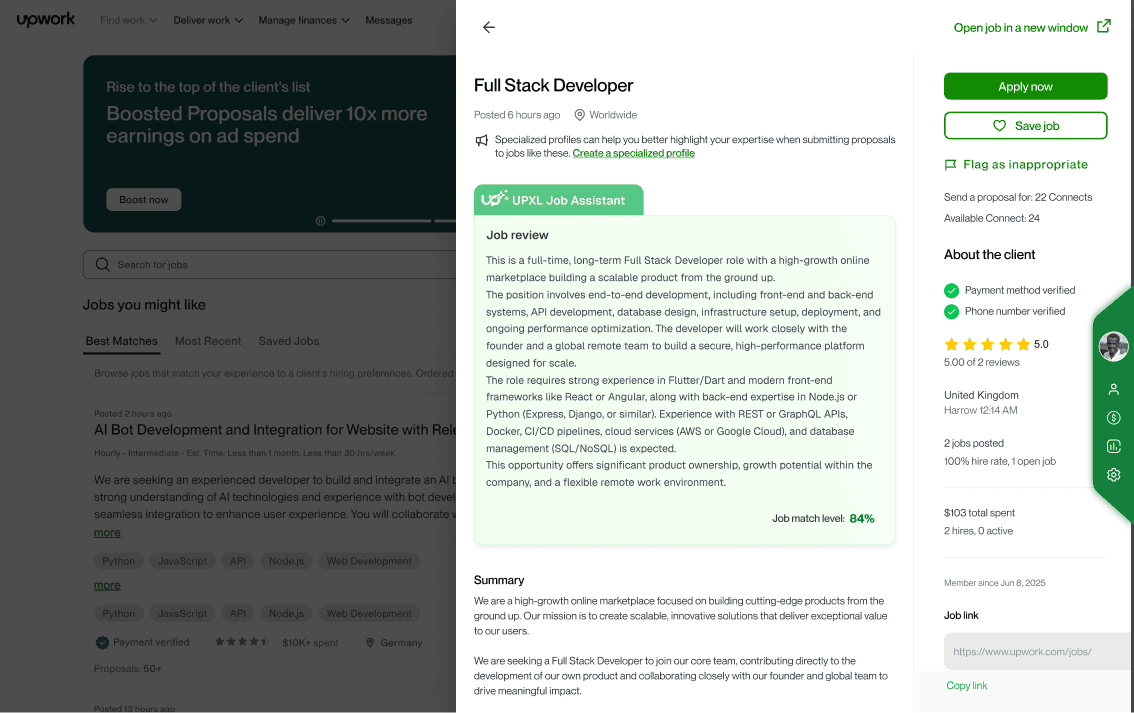
+5–10 pts win rate from early bidsInstant GO / REVIEW / SKIP verdict on any client — payment status, hire rate, spend history, and competition — before you burn a single connect.
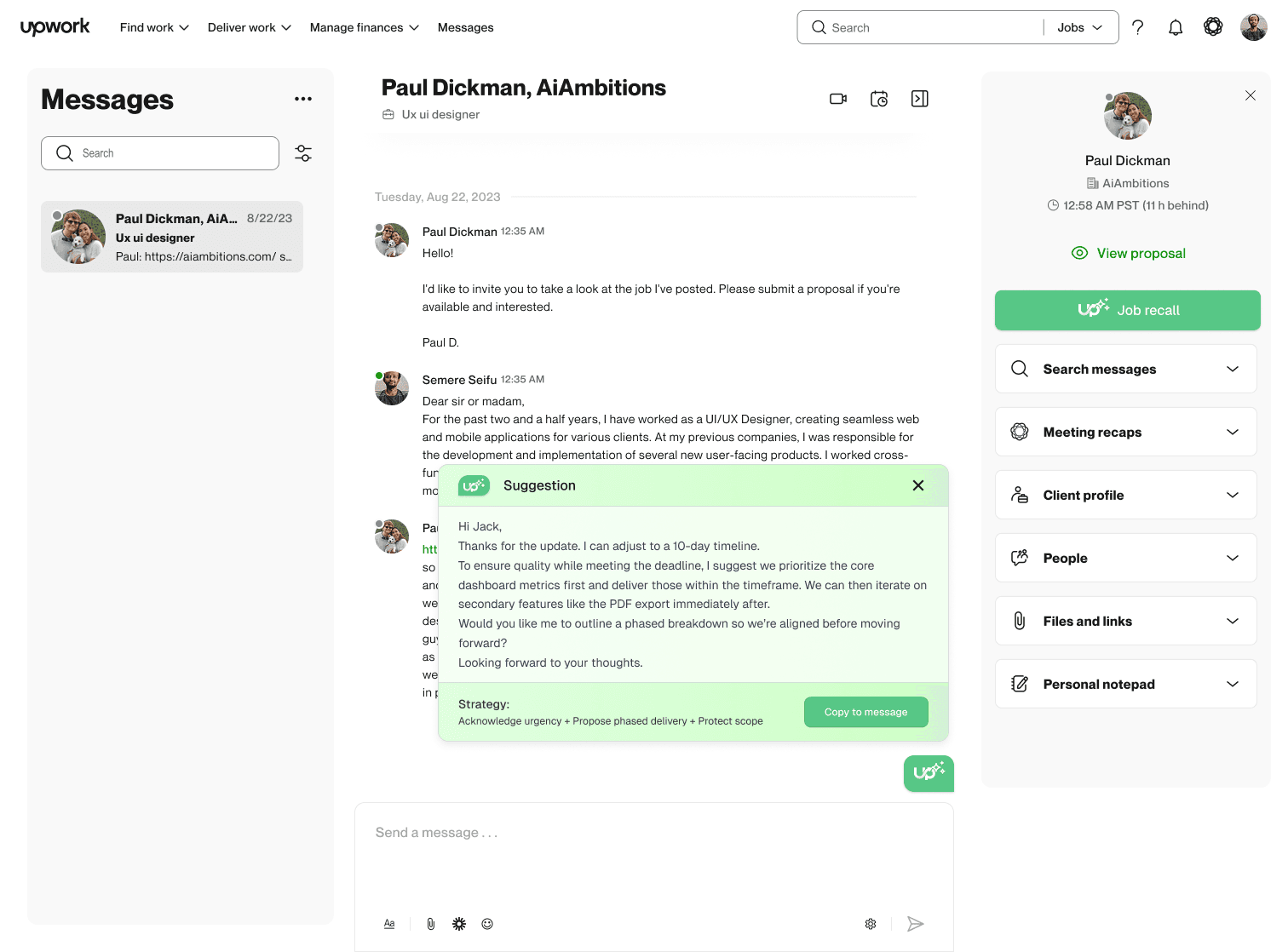
30–40 bad clients skipped / monthRAG engine trained on your own winning proposals. Drafts in your vocabulary, your structure, your voice — quality-scored and work-sample included, every time.
45 min → 5 min per proposalA Kanban pipeline built for Upwork, not adapted to it. Every bid tracked from Prospecting to Won — with follow-up reminders, so no deal ever slips through your inbox.
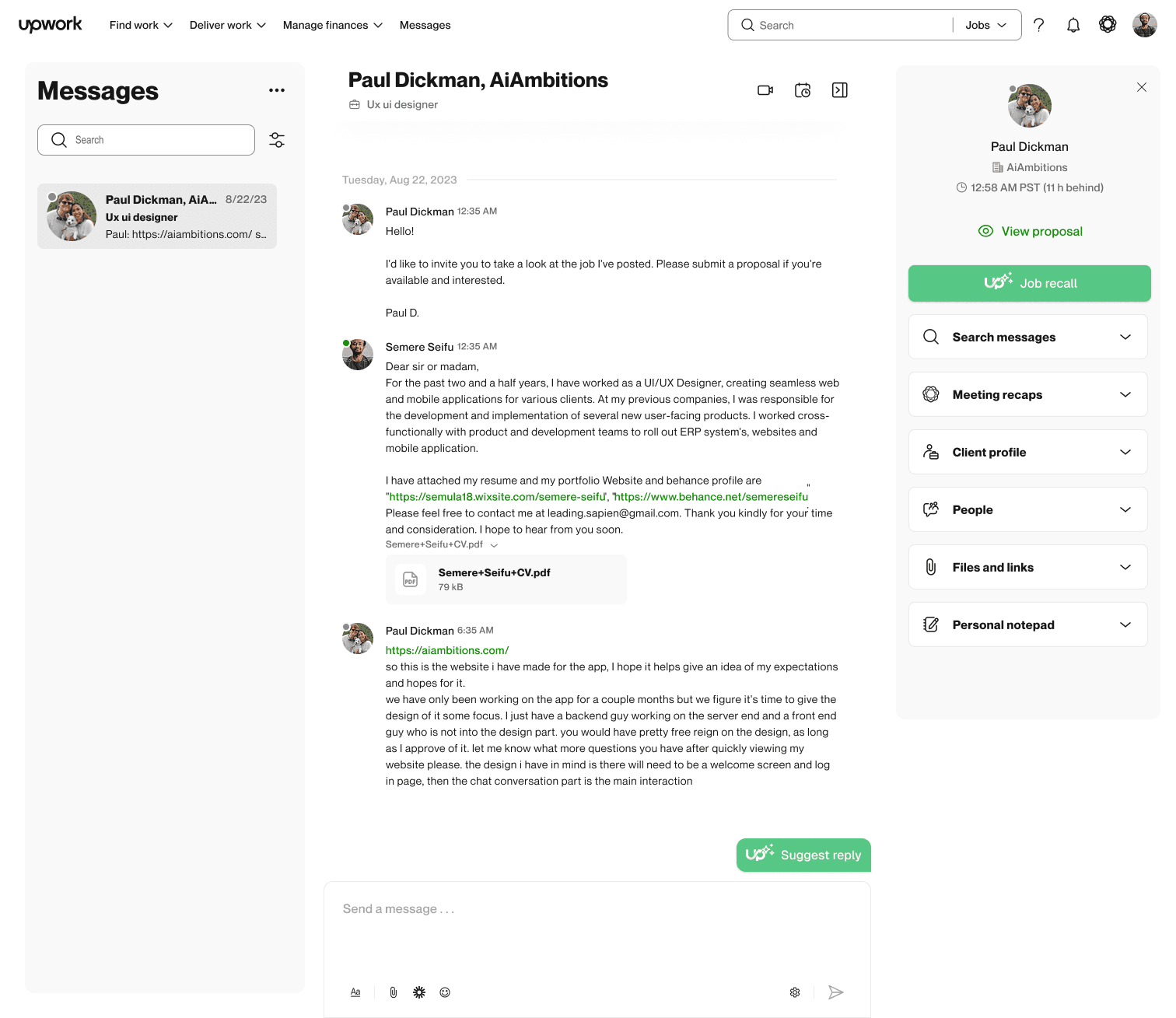
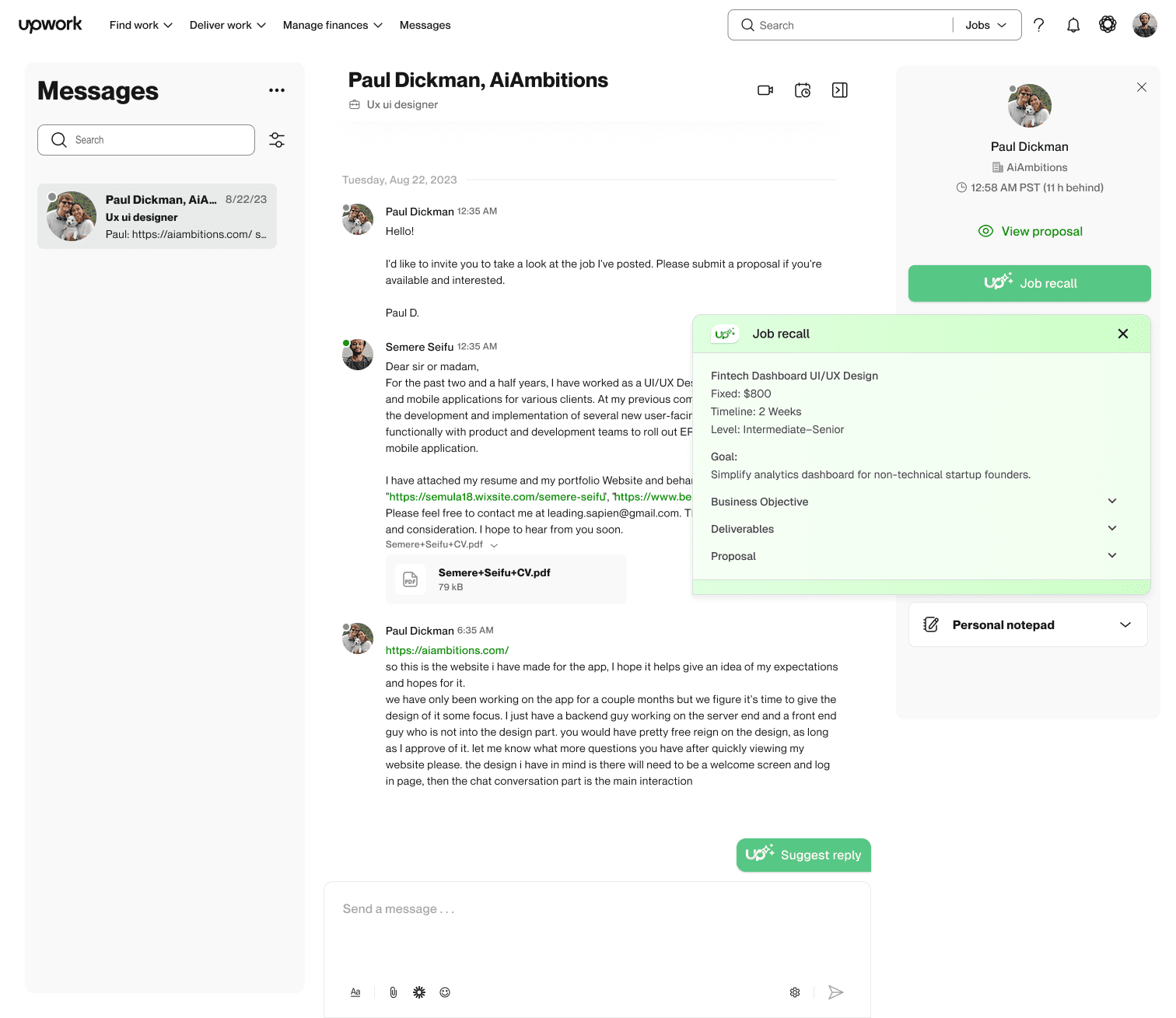
Auto-synced, even mobile appliesClient finally replies two weeks later? Your original bid, proposal, and job context surface instantly — with AI reply drafts matched to their intent.
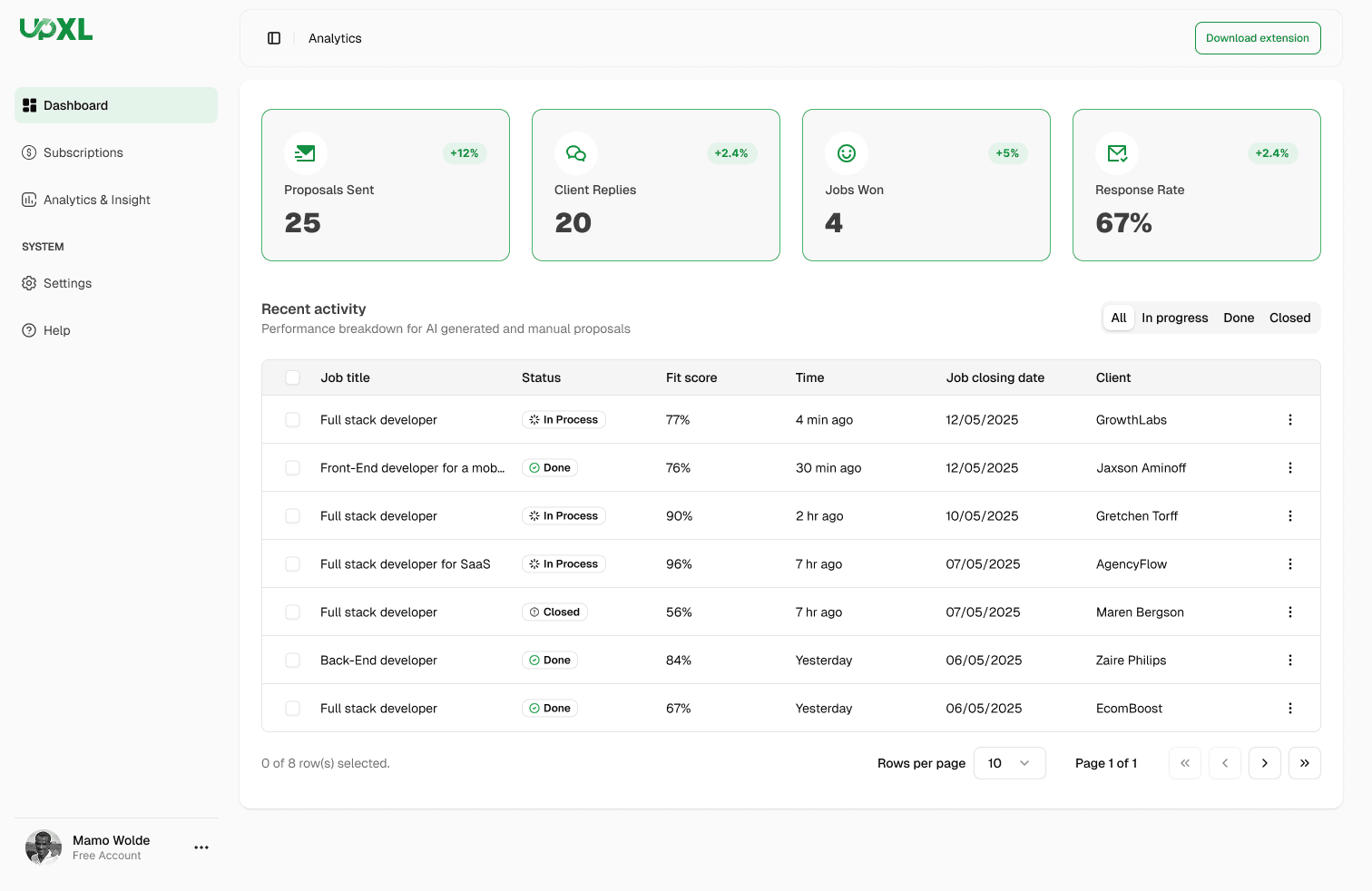
15 min scramble → 60 secondsWin rate by niche, earnings per connect, JSS trajectory, funnel bottlenecks. Six months of activity turned into one answer: where to focus next.
Know your winning niche in 90 daysChrome extension
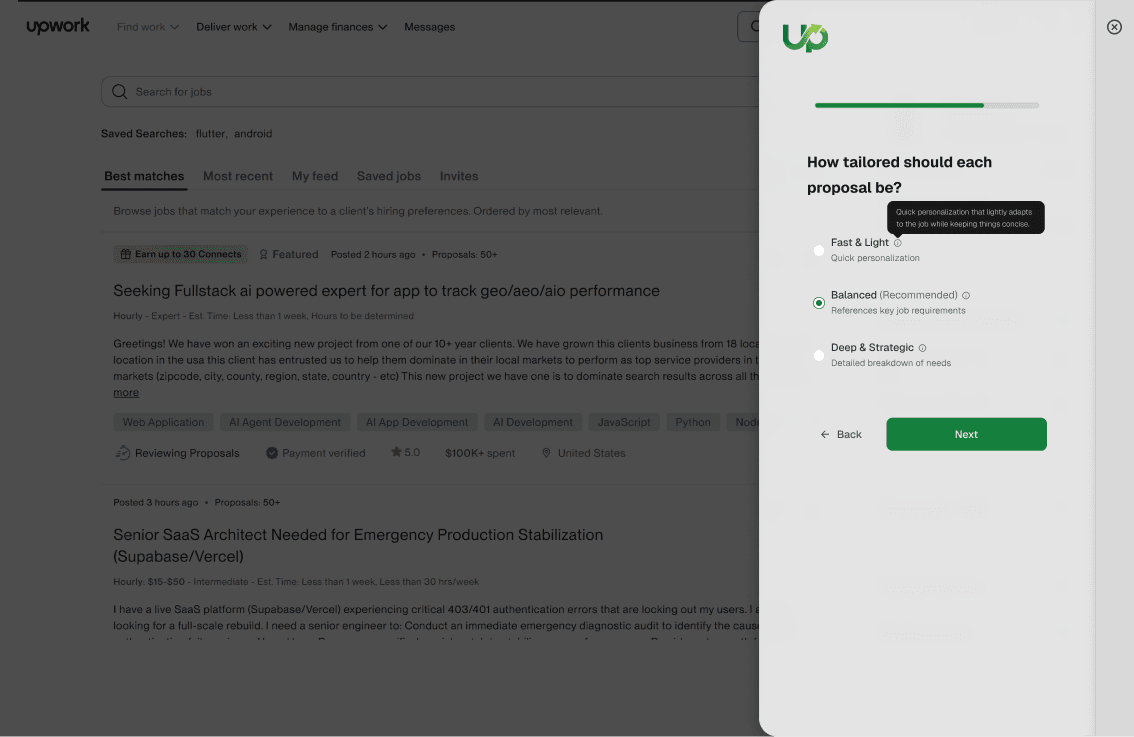
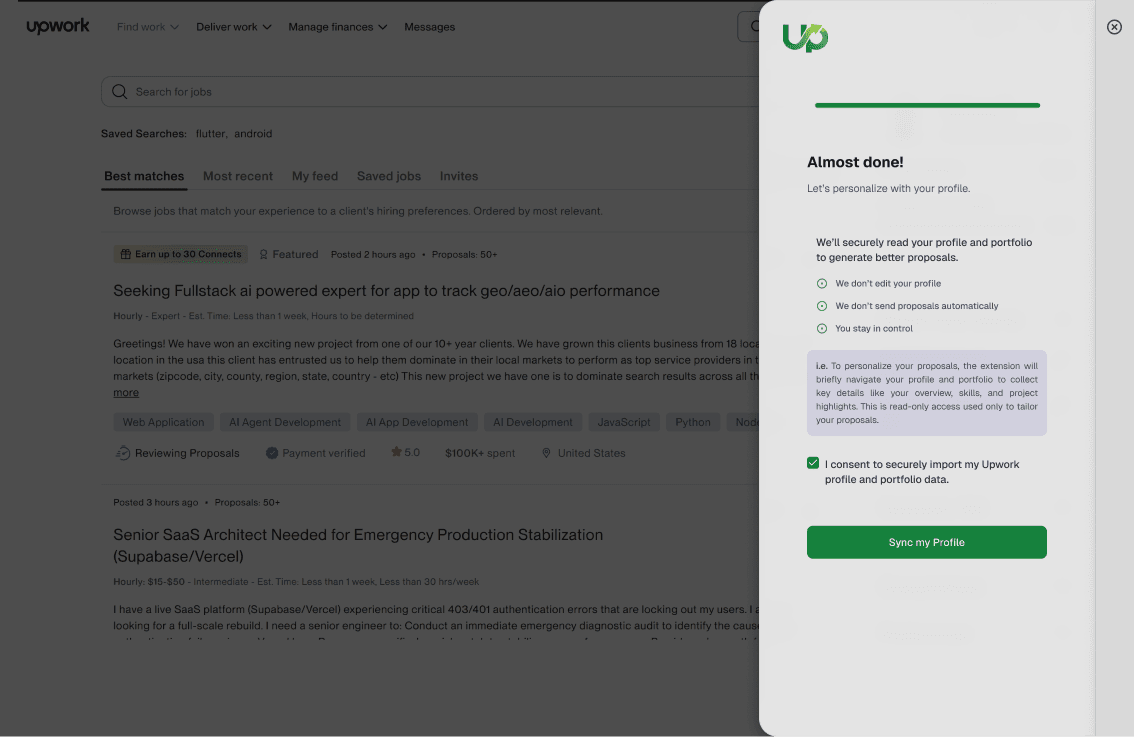
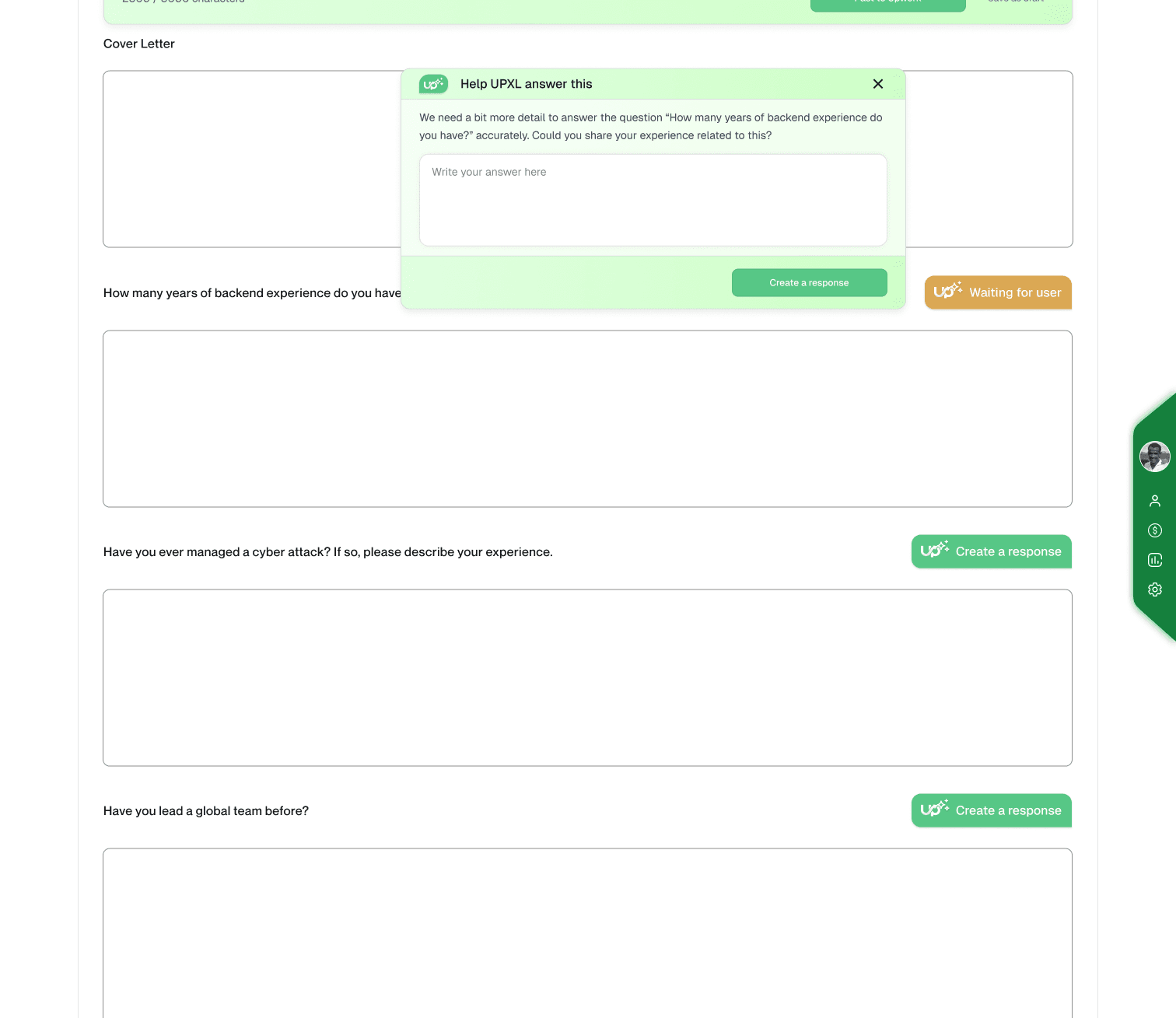
Real screens from the UPXL Chrome extension running inside Upwork — smart feed, client vetting, proposals, CRM, chat assist, and analytics. Click a feature to explore the full flow.
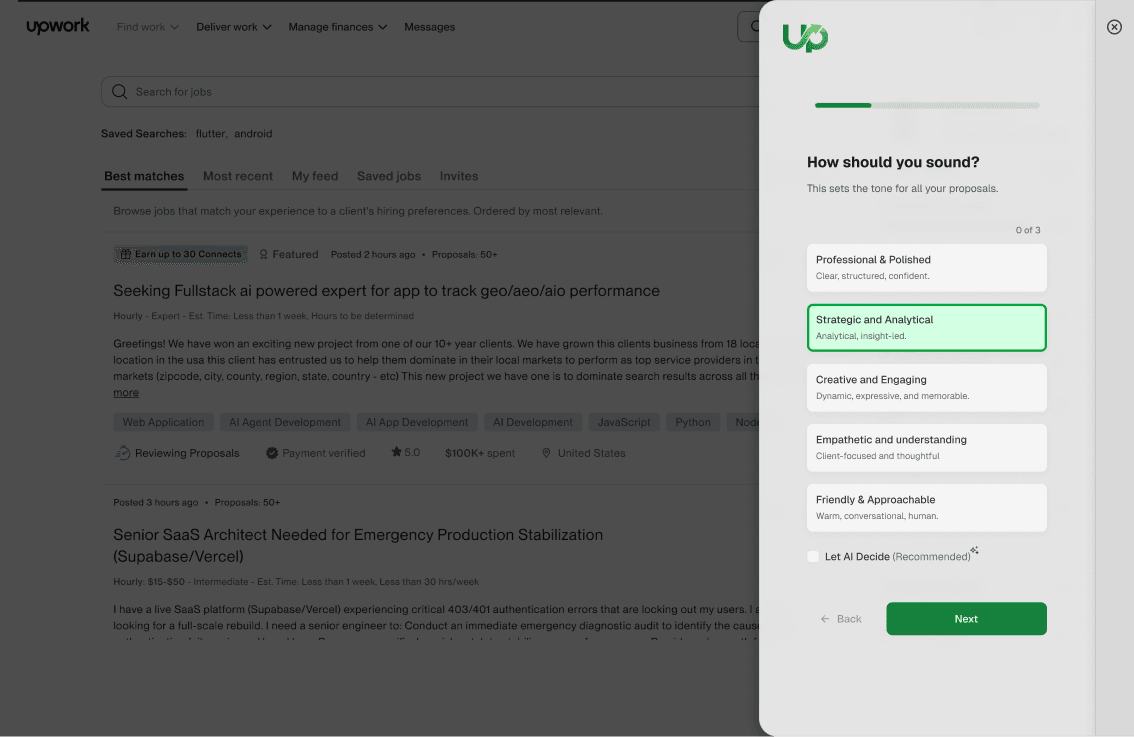
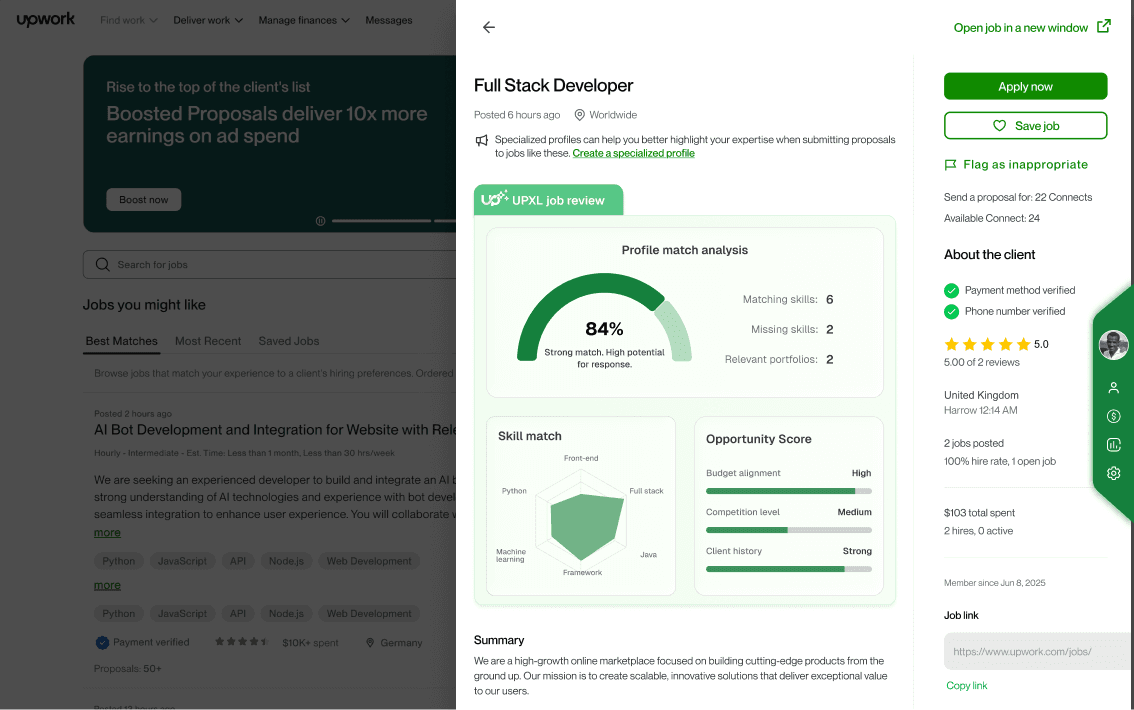
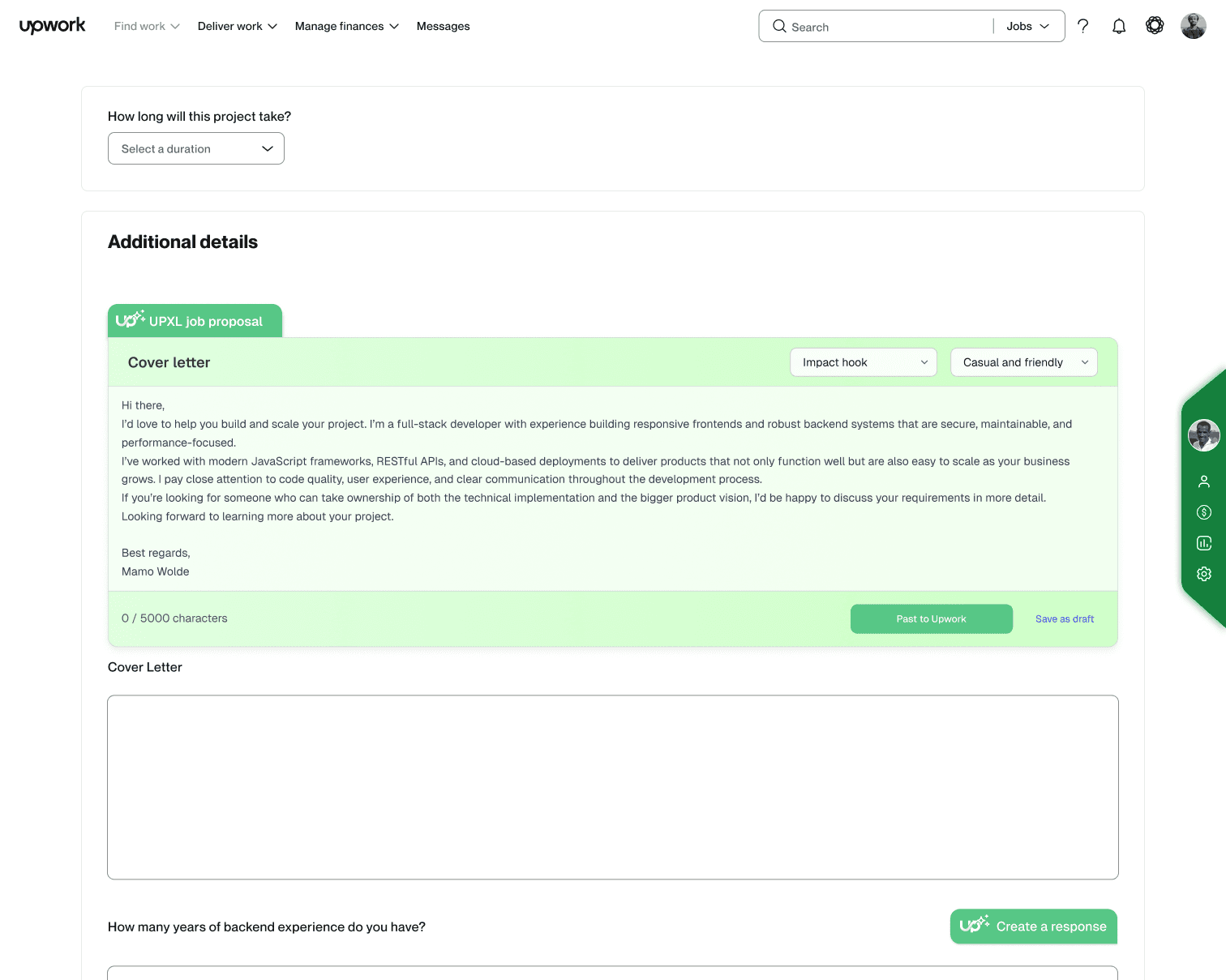
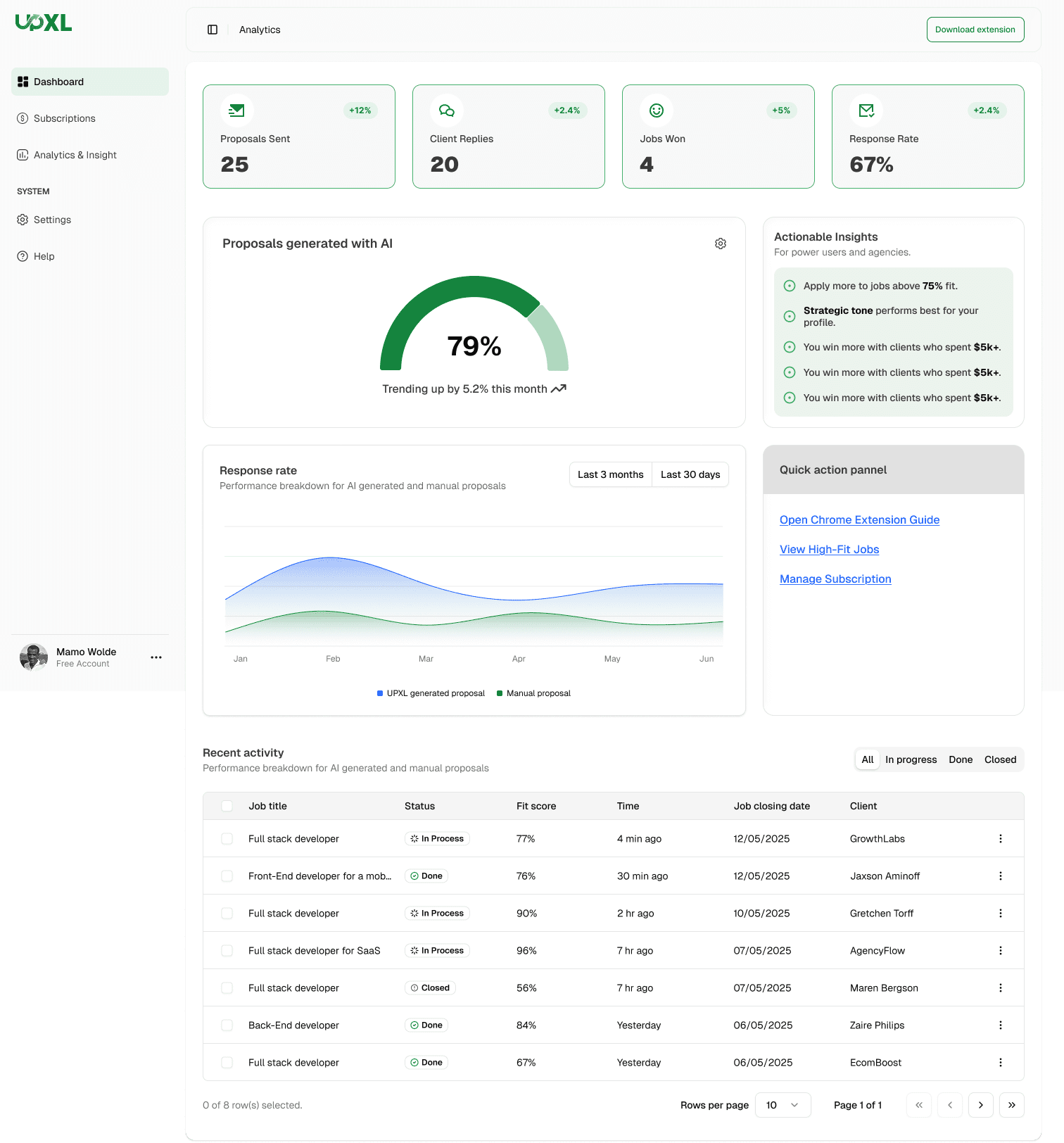
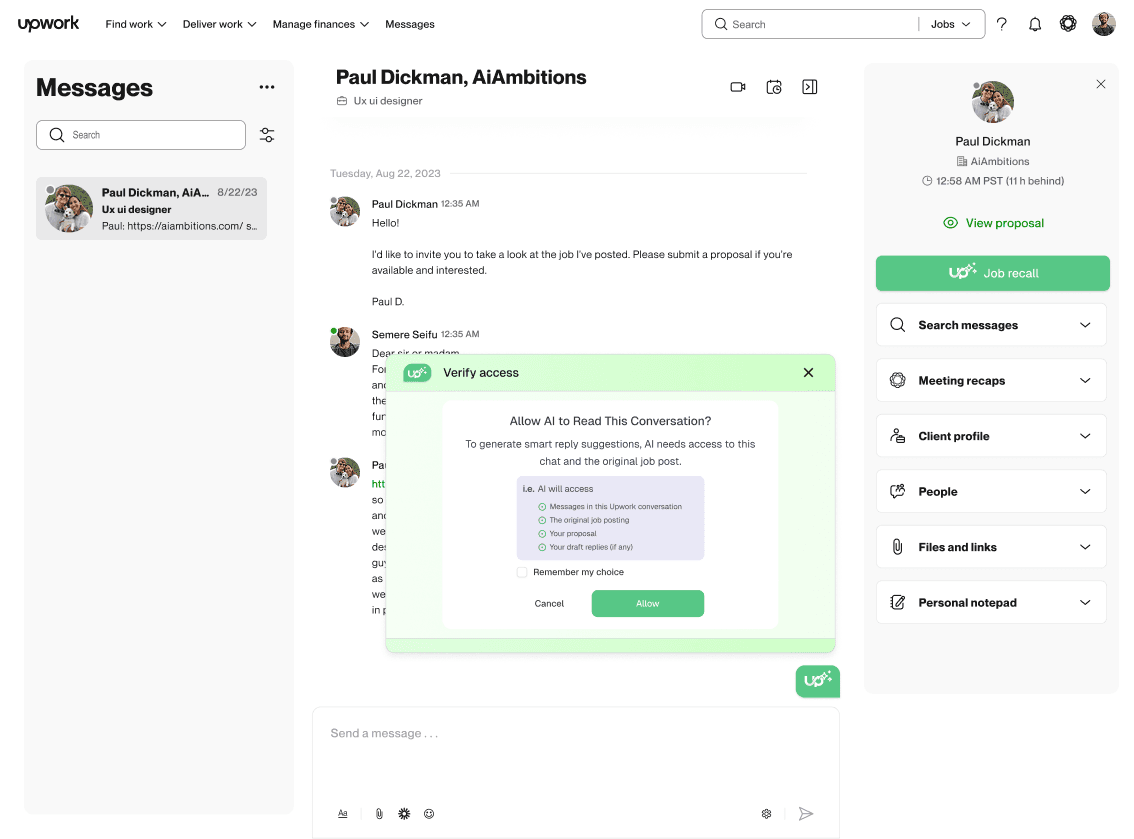
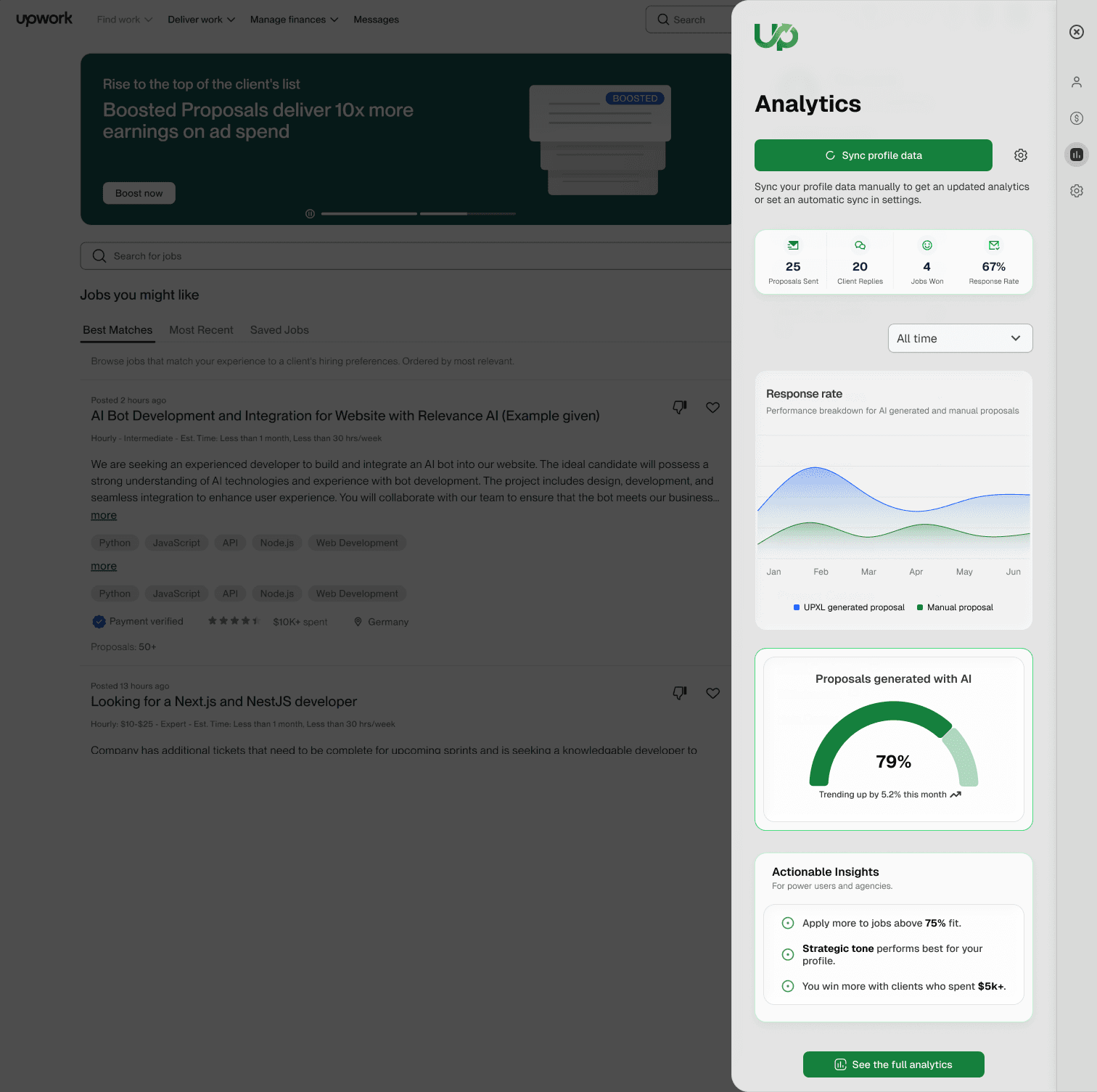
From Setup to the full loop — UPXL is a shipped extension, not a slide deck. 6 modules, one system.
The loop
Smart Feed finds high-signal jobs in your niche the hour they post.
Client scored in 3 seconds. GO means bid. SKIP means keep your connects.
AI drafts in your voice, quality-checked, work sample attached — you click Submit.
Every deal auto-clipped to your pipeline. Chat Assist converts replies to interviews.
Analytics feed wins back into the system. UPXL learns what wins for you.
The outcome
Upwork ToS
UPXL is the Upwork OS built on the line Upwork's own policy allows: automation can prepare and support your work, but humans must decide and send. UPXL vets clients, drafts proposals in your voice, and tracks your pipeline — you review every bid and click Submit yourself. No auto-bidding. No auto-submit.
UPXL never auto-submits proposals, never auto-bids, and never acts on Upwork faster than you would. It surfaces jobs, scores clients, and drafts copy — the send action is always yours.
Upwork's help center is explicit: unapproved bots and browser tools that automate interactions can trigger warnings, restrictions, or permanent blocks. Hands-off proposal sending and AI bidding automation sit on the wrong side of that policy.
Compliant workflow means genuine, personalized proposals you choose to send — not machine-speed submission or identical copy fired at volume. UPXL helps you pick better jobs and write better bids, not flood the feed.
Every connect costs real money. GO / REVIEW / SKIP vetting means you only spend connects on clients worth pursuing — then edit the AI draft, attach your work sample, and submit when you're ready.
Grounded in Upwork's official guidance on bots and automation: unapproved tools that automate interactions can lead to account restrictions. UPXL is designed for the compliant path — prepare, review, submit manually.
Compare
Upwork requires humans to decide and send. Auto-bidding and automated proposal submission are strictly against that policy — regardless of which tool provides them.
| Tool | Type | Who submits? | Automation scope | ToS stance |
|---|---|---|---|---|
| UPXL | Upwork OS | You review & click Submit | Prepare only — vet, draft, track | Built for Upwork ToS compliance |
| GigRadar | Cloud agency platform | BM / agency submission models | Agency-scale job monitoring & bidding | Built for high-volume agencies |
| U Never Sleep | Automation service | Automated proposal sending | Auto-apply / send while you sleep | Conflicts with human-must-send policy |
FAQ
Straight answers on UPXL, auto-bidding, GigRadar, U Never Sleep, and what Upwork's automation policy actually allows.
UPXL is designed for Upwork's compliant workflow: prepare and support your work, but you decide and send. It does not auto-submit proposals, auto-bid, or perform actions faster than a human. You review every client score, edit every draft, and click Submit yourself — the pattern Upwork's automation policy allows.
No. Upwork's help center states that unapproved bots and browser tools that automate interactions — including proposal submission at machine speed — can trigger warnings, restrictions, or permanent account blocks. AI bidding and hands-off auto-apply violate that policy regardless of which vendor sells the tool.
UPXL is the Upwork operating system — a Chrome extension that vets clients, drafts AI proposals in your voice, and tracks deals in a CRM. Unlike auto-apply tools, UPXL never sends bids for you. You stay in control on every connect you spend.
U Never Sleep and similar services optimize for high-volume automated proposal sending. That hands-off model conflicts with Upwork's requirement that humans decide and send. UPXL automates preparation — job scoring, drafting, pipeline tracking — not submission.
GigRadar targets agency-scale cloud automation and Business Manager workflows at high volume. UPXL is an Upwork OS for individual freelancers who want intelligence inside their own session — with vetting, voice-matched drafts, and manual submission on every bid.
Yes, for solo freelancers who want a ToS-aligned GigRadar alternative without agency overhead. UPXL focuses on client vetting, proposal quality, and pipeline visibility — with you clicking Submit on every proposal.
Yes. If you want Upwork tooling without auto-submit risk, UPXL is a U Never Sleep alternative built on human-in-the-loop control: vet clients, approve drafts, submit manually, track outcomes.
Yes. UPXL runs as a Chrome extension alongside your normal Upwork workflow — surfacing job signals, client scores, proposal drafts, and pipeline context. It augments how you work; it does not replace your judgment or your Submit click.
UPXL connects job discovery, client vetting, proposal generation, CRM, and analytics in one ToS-aligned loop. Spreadsheets and generic ChatGPT tabs do not flag bad clients before you spend connects, track ROI per niche, or surface reply context when a client answers weeks later.
UPXL is built as a ToS-aligned Upwork Chrome extension: it vets clients, drafts AI proposals in your voice, and tracks your pipeline — but you review and click Submit on every bid. It does not auto-submit proposals or auto-bid.
Yes. Upwork's help center states that unapproved bots and browser tools that automate interactions or submit proposals can trigger warnings, restrictions, or permanent account blocks. Compliant workflow requires humans to decide and send.
GigRadar (agency cloud automation), U Never Sleep (auto-apply), Upwex, UpHunt, and UPXL. UPXL differentiates as a ToS-safe Upwork OS for freelancers who submit proposals manually after vetting and AI drafting.
U Never Sleep (YouNeverSleep) is an Upwork automation service focused on high-volume automated proposal sending. UPXL is an alternative built on Upwork's compliant model: prepare with AI, submit manually, never auto-apply.
UPXL is on a waitlist ahead of public launch. The first 500 waitlist members receive 6 months free when UPXL launches. Join at upxl.pro to reserve a spot.
UPXL is for Upwork freelancers who want better win rates without risking their account on auto-bidders — replacing spreadsheets and ChatGPT tabs with one ToS-aligned operating system.
Closed beta
Join the waitlist — the first 500 members get 6 months free when UPXL launches. Built by freelancers, for freelancers.
6 months free for the first 500 waitlist members · No spam, ever